Back cover copy: how to write it to make readers want to read
When readers turn your book over, they want one question answered: is this story for me? Your back cover copy needs to answer it in just a few lines. For self-published authors, it is also a working text: it appears on every print copy and often provides the starting point for your Amazon listing description. Here is a simple method, with genre examples and the KDP technical requirements to follow.
What is back cover copy?
In publishing, a book has four “covers”: the front cover, the inside front and inside back covers (often left blank), and the back cover. The text on the back is also known as a blurb.
Back cover copy usually includes:
- A hook: a short, prominent line that sets the tone.
- The main blurb: the heart of the copy, introducing the story or subject without giving everything away.
- Social proof (optional): a reader quote, review, literary award or series note.
- A few lines about the author (optional), sometimes with a photo.
- Practical details: genre or series, price if you wish, ISBN and barcode.
A structure that works: hook, stakes, promise
Most effective blurbs follow the same three-part progression:
- The hook (one sentence): an intriguing situation, question or statement. It should stand on its own.
- The character and stakes (around 60–120 words): who the protagonist is, what they want and what stands in their way. For a practical book or non-fiction title, explain the reader’s problem and what the book will concretely offer.
- The promise (one or two sentences): the unanswered question or the emotion the reader can expect. Stop before revealing what happens next.
The golden rule
A blurb does not summarise the book: it raises a question only the book can answer. As a rule, do not reveal anything that happens after the first third of the story.
How long should back cover copy be?
For a novel, aim for around 120–200 words, and less for a smaller format. Any more and you may need to shrink the type or tighten the line spacing, making the back cover hard to read. Leave room to breathe: an uncluttered background, legible type and a clear barcode area matter as much as the words.
Examples by genre
The examples below are fictional, created to illustrate the method. Notice the structure: a hook, stakes and a promise.
Thriller
She erased every trace. Except one. — For ten years, Léa Marchal has lived under a false name in a village in the Jura. When a letter arrives addressed to her real name, she realises someone has found her—and knows the truth about the night of the fire. To protect her daughter, Léa has only one option: go back to where it all began. But some secrets burn those who dig them up.
Romance
He promised he would never come back. — When Camille inherits her grandmother’s bookshop, she gives herself three months to sell it and return to Paris. She hadn’t counted on Hugo, her childhood friend turned carpenter, refusing to let her sell off what remains of their memories. Between old resentments and boxes of books, Camille must choose: leave as planned, or finally write the next chapter of their story.
Fantasy
In the kingdom of Eskar, magic comes at a price: one memory for every spell. — Nara, an apprentice cartographer, has never cast a spell. Then she discovers an island on her maps that does not exist, and the king’s mages begin hunting her. To understand what she has seen, she must cross the Sea of Mists… and agree to forget what she holds most dear.
Practical non-fiction
You write. But no one is reading you yet. — This guide takes independent authors step by step through choosing the right keywords, creating a compelling cover, writing a persuasive description and running their first ads without wasting their budget. Practical examples, ready-to-use templates and a method tested on real books—so your next launch gets noticed.
| Genre | What readers want to know | What works |
|---|---|---|
| Thriller, crime | What is the danger, and why now? | Short sentences, a countdown, a secret |
| Romance | Who are the two characters, and what keeps them apart? | Emotion, tension, an evocative setting |
| Fantasy, science fiction | What is this world’s rule, and what does it cost? | One world-building detail, one protagonist, one stake |
| Practical, non-fiction | What problem does the book solve, and for whom? | Concrete benefits, the author’s credibility |
Common mistakes to avoid
- Telling the whole story, including the final twist.
- Introducing too many characters: one or two names are enough.
- Loading it with empty adjectives (“gripping”, “moving”) instead of showing what makes the story unique.
- Letting errors slip through: this is the most-read text in your book after the title.
- Using type that is too small or a busy image that makes the text hard to read.
- Promising a different genre from the one suggested by the cover and category.
- Forgetting the barcode area, which may cause KDP to reject your file.
KDP technical requirements for the back cover
For a paperback or hardcover published through KDP, the back cover is not a separate file: it is part of a single PDF containing the back cover, spine and front cover. Here are a few requirements to follow:
- The barcode: if you do not provide one, KDP adds it automatically to the bottom of the back cover. Keep this area clear of text and images or your cover will be rejected. KDP recommends an area of 2 × 1.2 inches (50.8 × 30.5 mm), at least 0.25 inches (6.3 mm) from the spine and edge.
- Safe margins: keep text away from the edges, which are trimmed during printing.
- Resolution: 300 dpi for images to ensure sharp print quality.
- Dimensions: the full cover size depends on the book’s trim size, paper and page count, which determines the spine width. Always start with a template calculated for your book.
An ebook has no back cover: only the front cover is displayed. Your blurb is still useful as the basis for your Amazon description.
Back cover copy and Amazon description: the same text?
The two texts are similar, but not identical. Back cover copy should be short and easy to scan. Your Amazon description gives you much more space (up to 4,000 characters), allows simple formatting and can include reader reviews, the book’s place in a series or phrases your readers search for. The best approach: write the blurb first, then expand it for your Amazon listing.
Checklist before submitting your cover
- The hook stands on its own and makes readers want to know more.
- The copy introduces a protagonist (or problem), stakes and a promise.
- Nothing beyond the start of the story is revealed.
- The copy is around 120–200 words and has been reviewed by someone else.
- The tone matches the genre signalled by the cover.
- The barcode area is clear and text stays within the safe margins.
- The dimensions match the template for your trim size and page count.
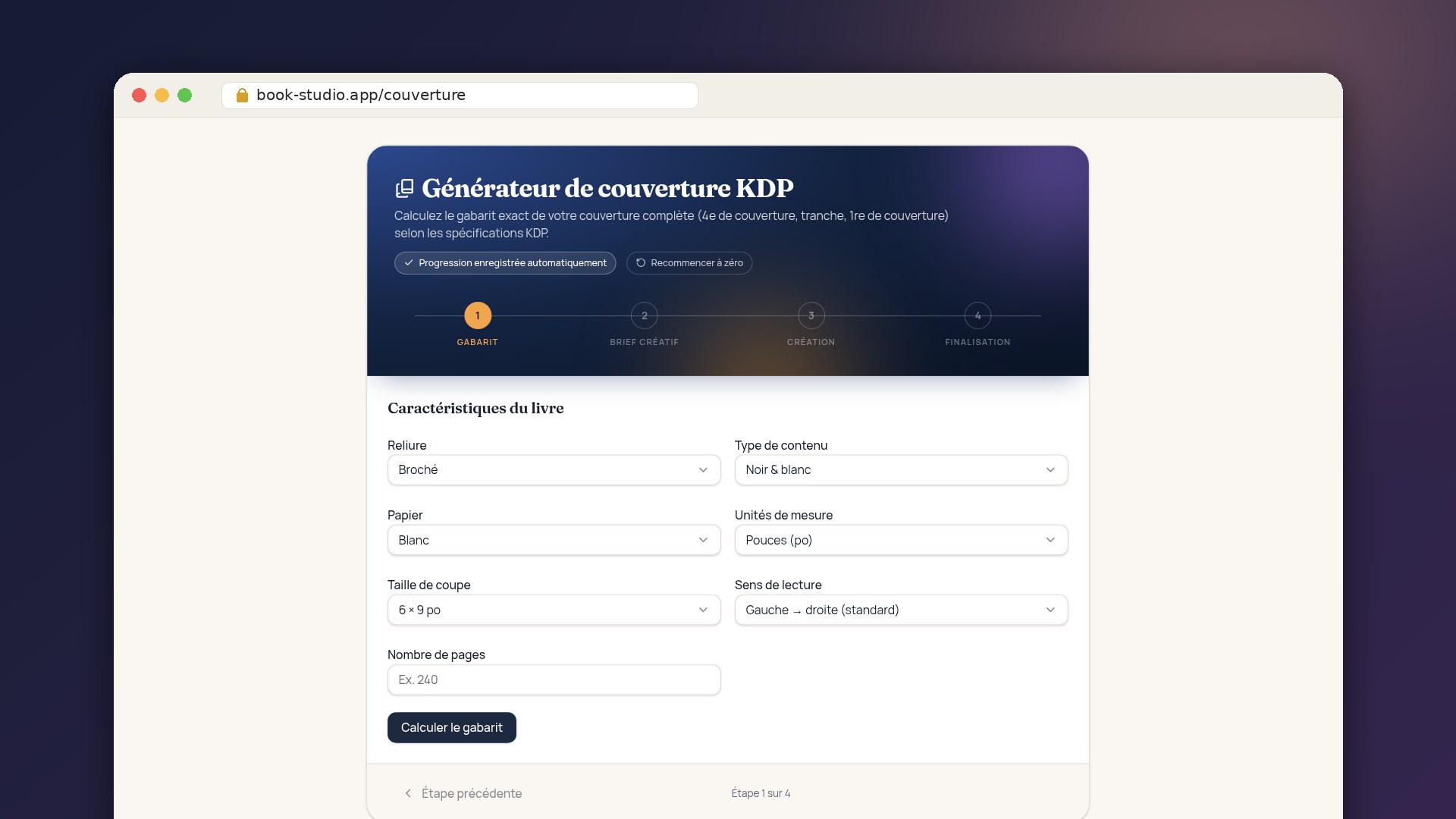
Bookstudio’s Cover Generator calculates the exact template for your full cover to KDP specifications (back cover, spine, front cover, margins and barcode area), then helps you create each part from your brief.